When I first wrote about how Aftershoot changed my editing game forever, I couldn’t have imagined how much further they would take their AI technology. Fast forward to today, and Aftershoot has officially become one of the most powerful tools in my photography workflow — not just for culling and editing, but now for AI-powered retouching that saves me hours per session.
As a wedding and portrait photographer, my style depends on natural, flattering light and true-to-life tones. But like every photographer knows, the tiny details can take up a lot of time — a little glare on glasses, flyaway hair catching the light, a breakout on an otherwise perfect day, or uneven skin tones that need subtle blending. Aftershoot’s new AI Retouching feature handles all of it beautifully — and faster than I ever could by hand.
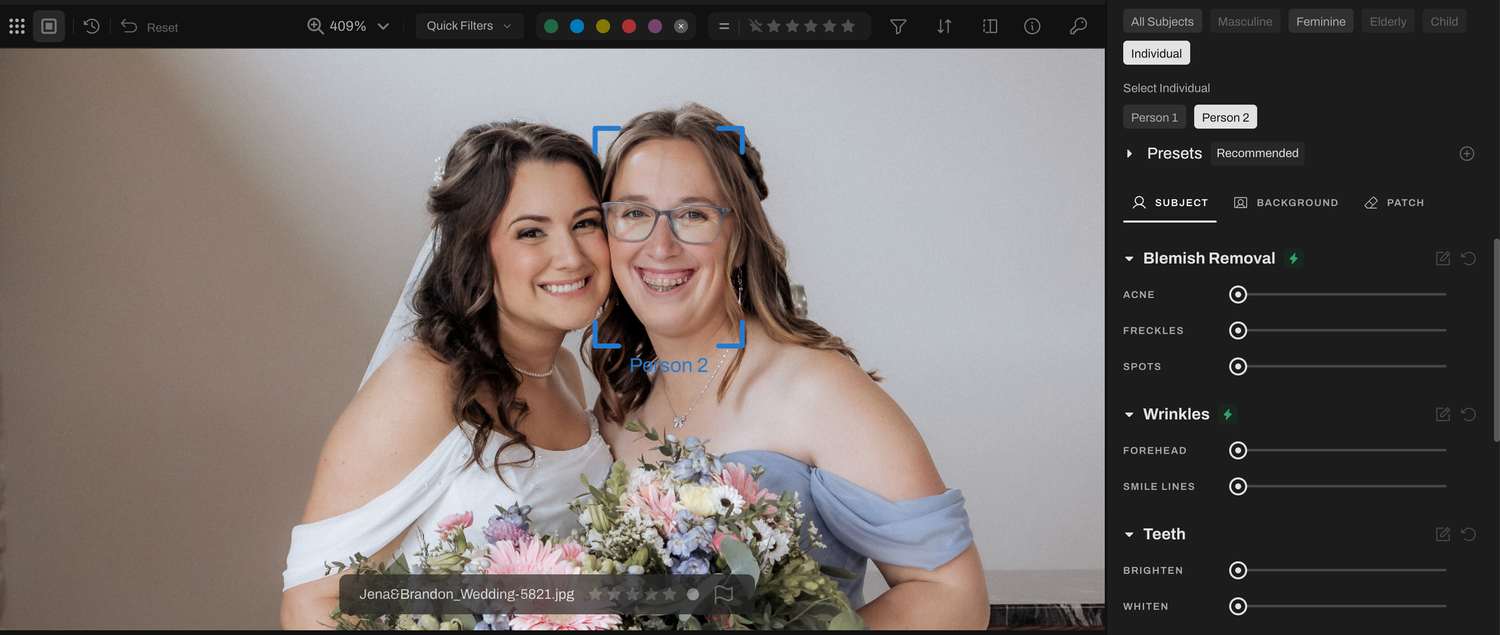
Before using Aftershoot AI retouching
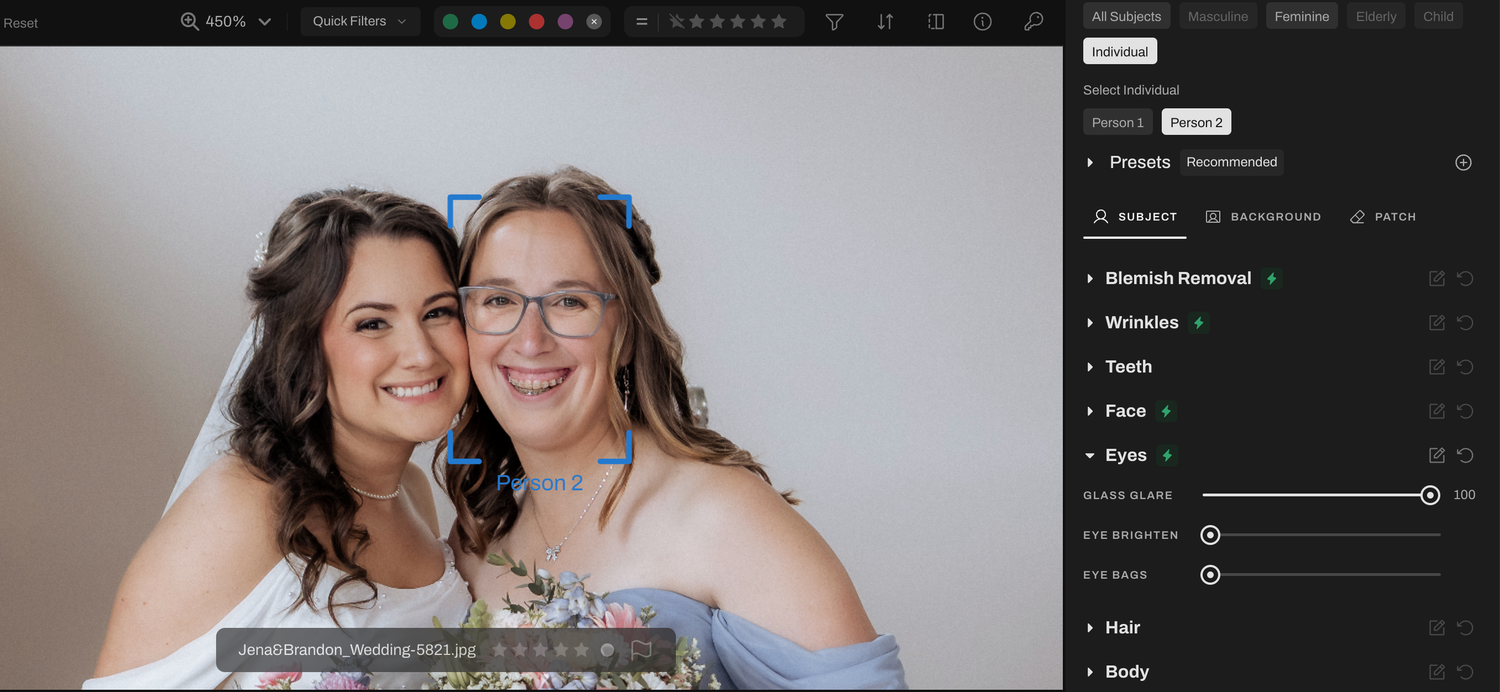
After using Aftershoot AI retouching to remove glare from her glasses
What Aftershoot’s AI Retouching Can Do
Here’s what has impressed me the most so far:
- Removes glare from glasses without dulling the eyes or skin — something I used to spend ages correcting manually.
- Fixes acne, blemishes, and redness while keeping skin texture realistic and natural (no plastic-looking faces here).
- Tames flyaway hair seamlessly — perfect for those windy outdoor weddings where editing used to feel endless.
- Whitens teeth just enough to brighten smiles while staying true to my soft, airy aesthetic.
Every photo looks polished but never overdone — exactly how I want my clients to remember their day.
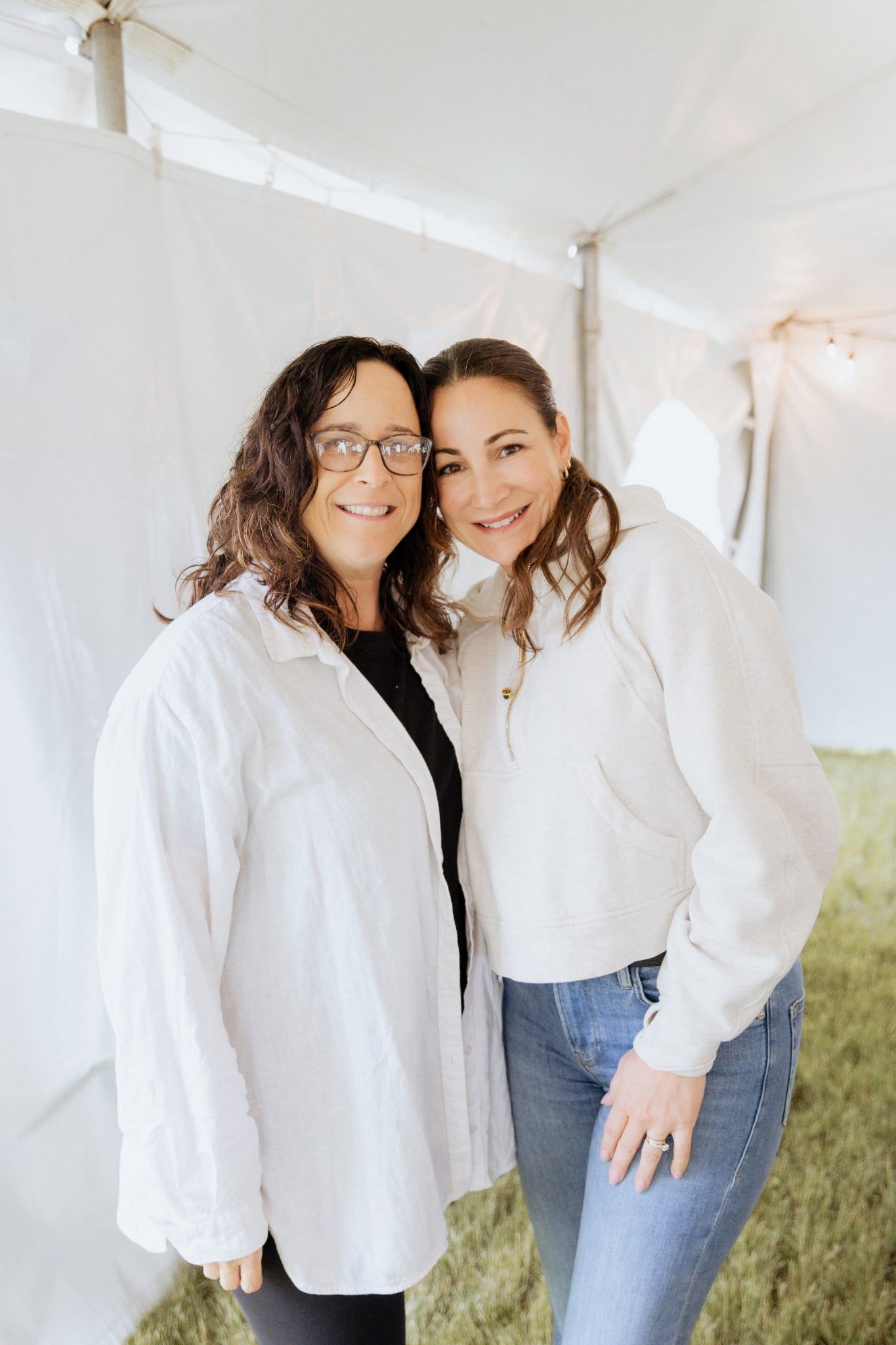
Before using Aftershoot Retouching
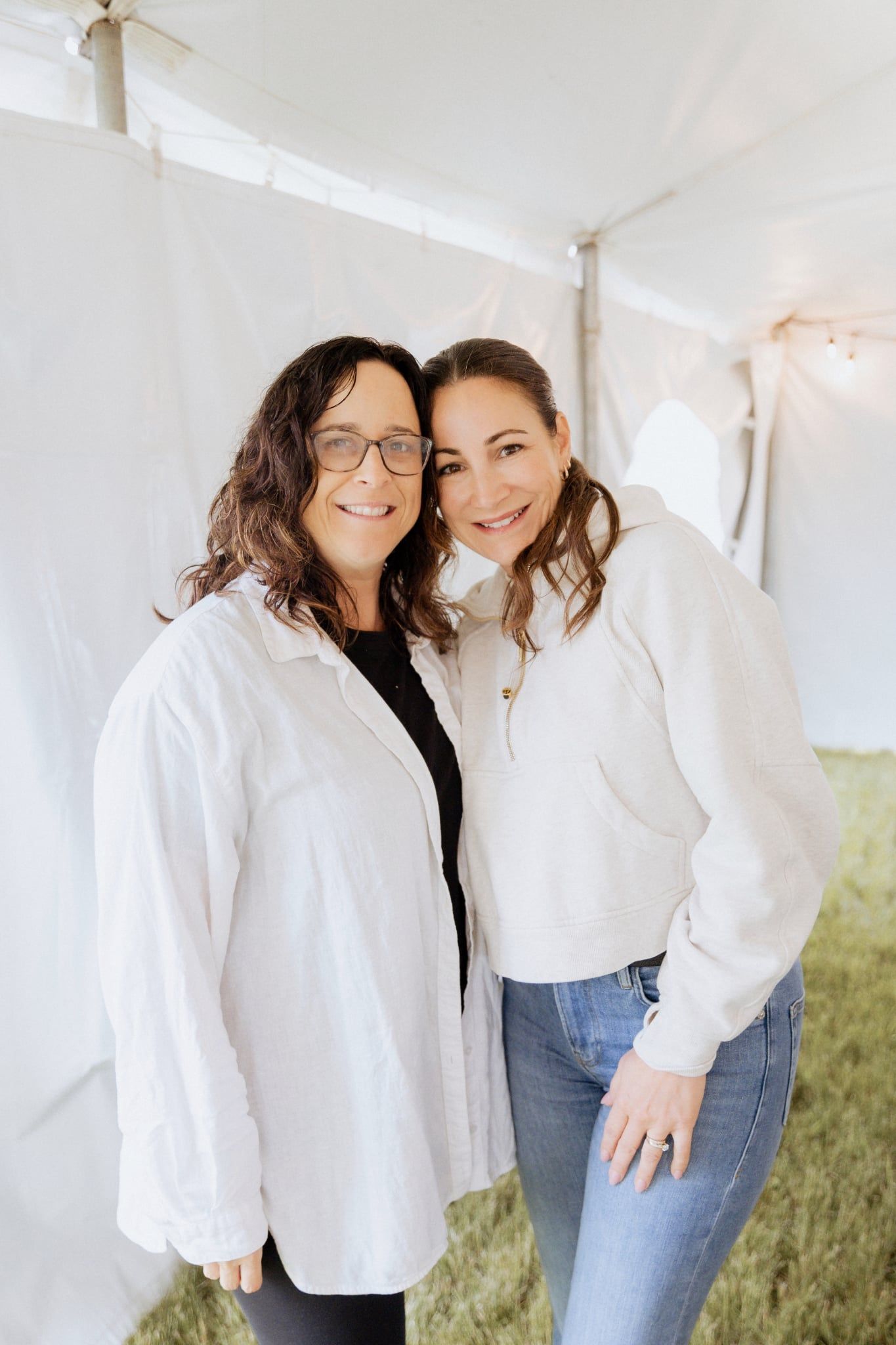
After - while it's not as sharp, it significantly reduced the glare and I can fix the rest in Lightroom
The Real Game-Changer: Time Saved
I’m not exaggerating when I say this has cut my retouching time in half. What used to take me hours of detailed brushwork now happens automatically while I work on something else. The consistency is also incredible — each gallery looks cohesive, clean, and true to my brand’s look.
For photographers like me who already use Aftershoot for culling and editing, this update makes the workflow feel complete — from image selection all the way to final delivery, all inside one smart ecosystem.
Get 20% Off Aftershoot
If you’ve been thinking about trying Aftershoot, now’s the perfect time. Use my exclusive referral link below to get 20% off your plan:
Whether you’re a wedding photographer, portrait artist, or lifestyle creator, Aftershoot’s AI Retouching is worth every penny — and this discount makes it even sweeter.
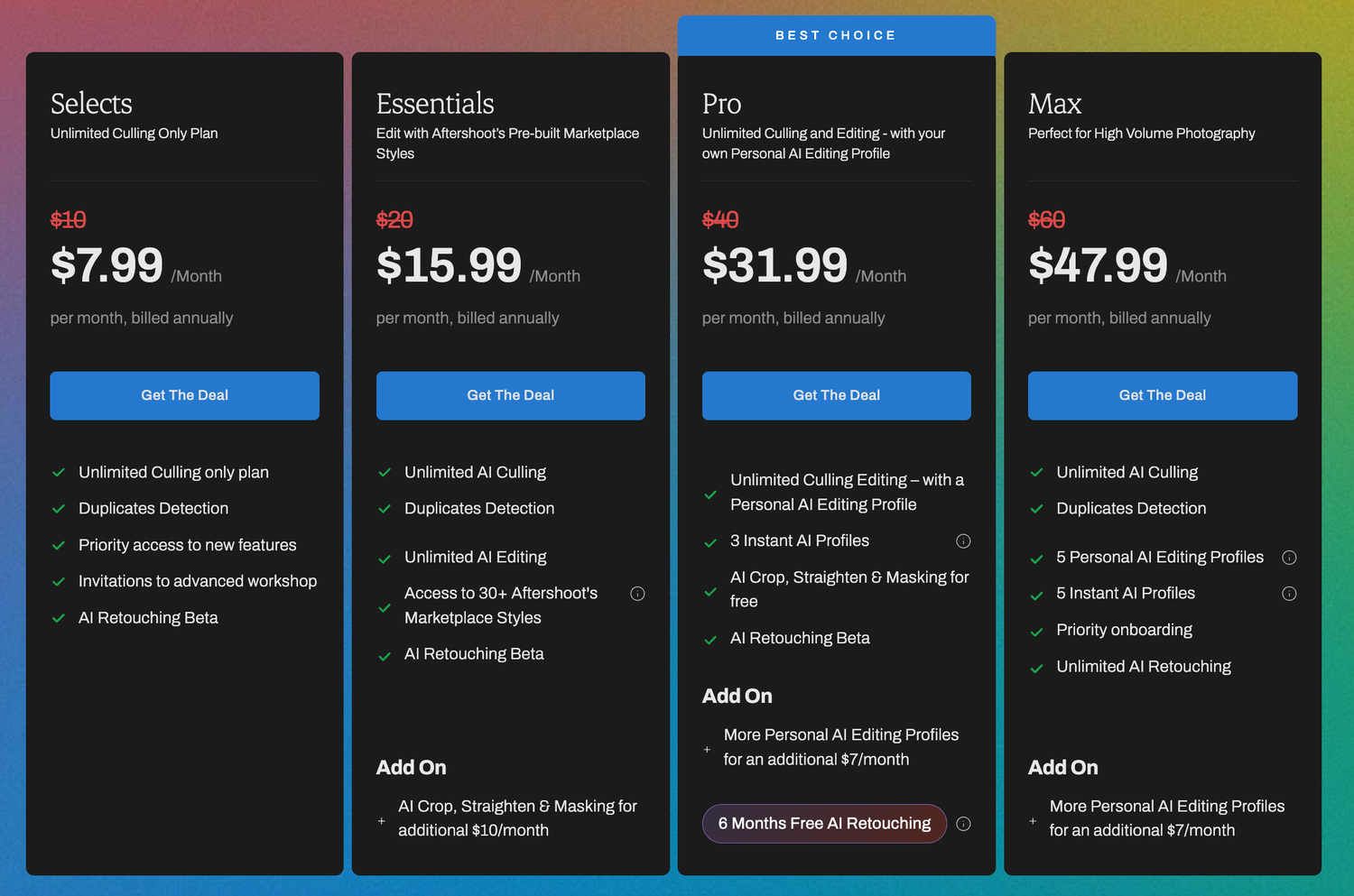
Black Friday Deals at Aftershoot
Read My First Aftershoot Review
If you missed my original post about how Aftershoot completely changed my editing workflow, you can read it here:
How Aftershoot Changed My Editing Game Forever (and Why I’ll Never Go Back)